
Case management for lawyers: Kanban board and a case file with every tab
How Lexiel organises a firm's cases: a board by status, a file with deadlines, documents, briefs and invoices, and a case health score.
A case lives in too many places: the email thread with the other side, the document folder, the calendar with the hearings, the timesheet and the invoice. When someone asks where a case stands, the answer means opening four programs.
And what you cannot see, you forget: the case that has gone weeks without activity, or the one piling up unbilled hours, does not warn you by itself.
How Lexiel solves it, step by step
In Lexiel every matter is a case and everything around it hangs from it. You see cases in two ways: as a list or as a board.
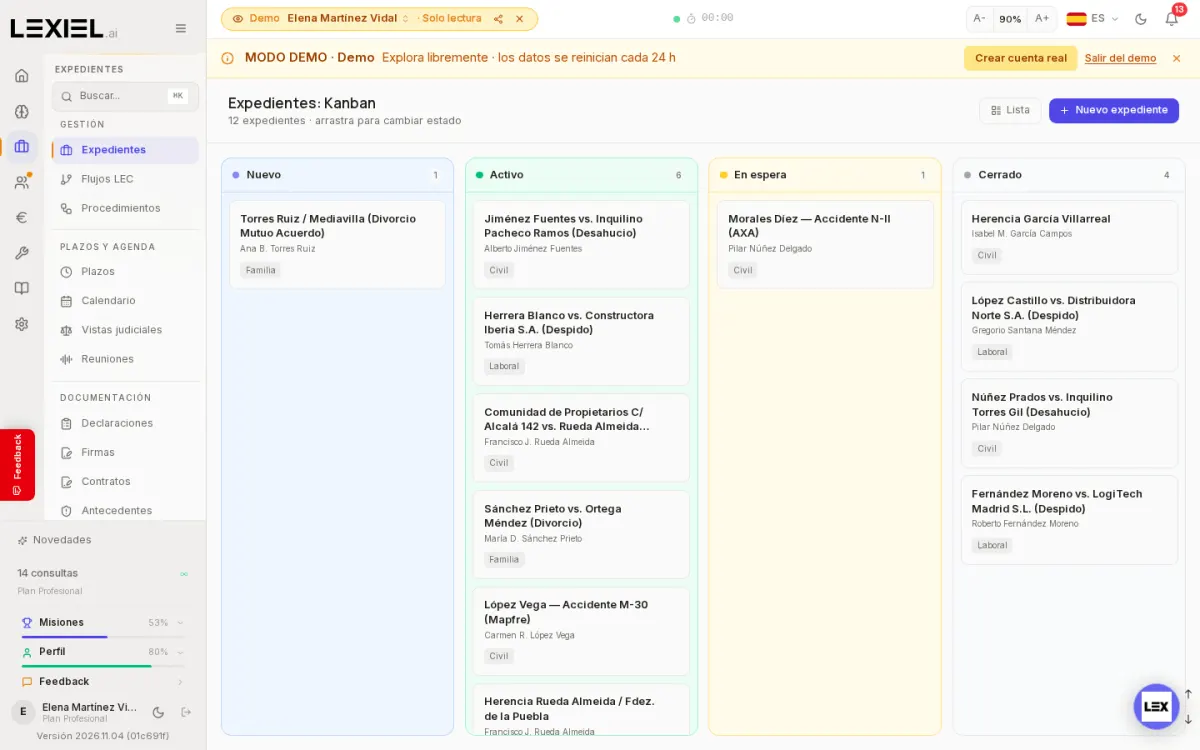
- Open Cases and switch between List and Board. The board has four columns (New, Active, On hold, Closed) and you drag each card to change its status; in the demo there are 12 cases spread across them.
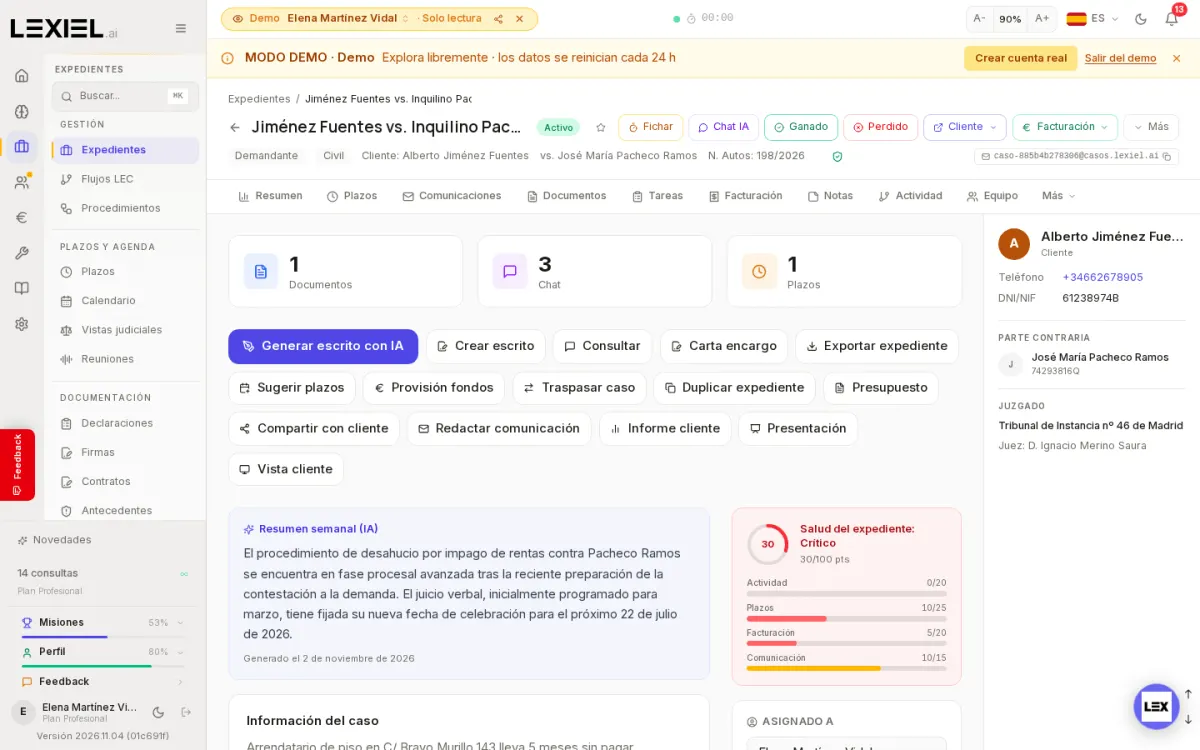
- Open a case. The header gathers the client, the other party, case number, court and judge, plus shortcuts such as generate a brief, create a brief, consult, engagement letter, export the case, quote, client report or client view.
- Walk through the tabs: Summary, Deadlines, Communications, Documents, Tasks, Billing, Notes, Activity, Team and more. In the demo every tab we tested loads with data.
- Look at the "Case health" card: a score out of 100 combining activity, deadlines, billing and communication, so you can see at a glance which cases need attention.
What it does not do
- It does not decide for you what to do with a case: the health score points to where to look, it does not replace your judgement.
- The weekly summary of each case is generated by AI; review it before using it in any communication.
Frequently asked questions
Can I see cases as a list instead of a board?
Yes. At the top of the board there is a List button that changes the view.
Does it work on mobile?
Yes, cases are also in the mobile app. The Android app is published on Google Play; the iPhone app is not in the App Store yet.
Keep reading
- The full market analysis: legal software comparison for Spain 2026.
- law firm management software
- checklist to digitise your law firm
Described with Lexiel version 2026.11.04 and the demo account, with fictional data.
Try Lexiel free · 28 days
Use code LEX-BLOG for double the standard trial period. Cancel anytime, no commitment.